
Every court. Every score.
What if the score updated itself, right on your phone?
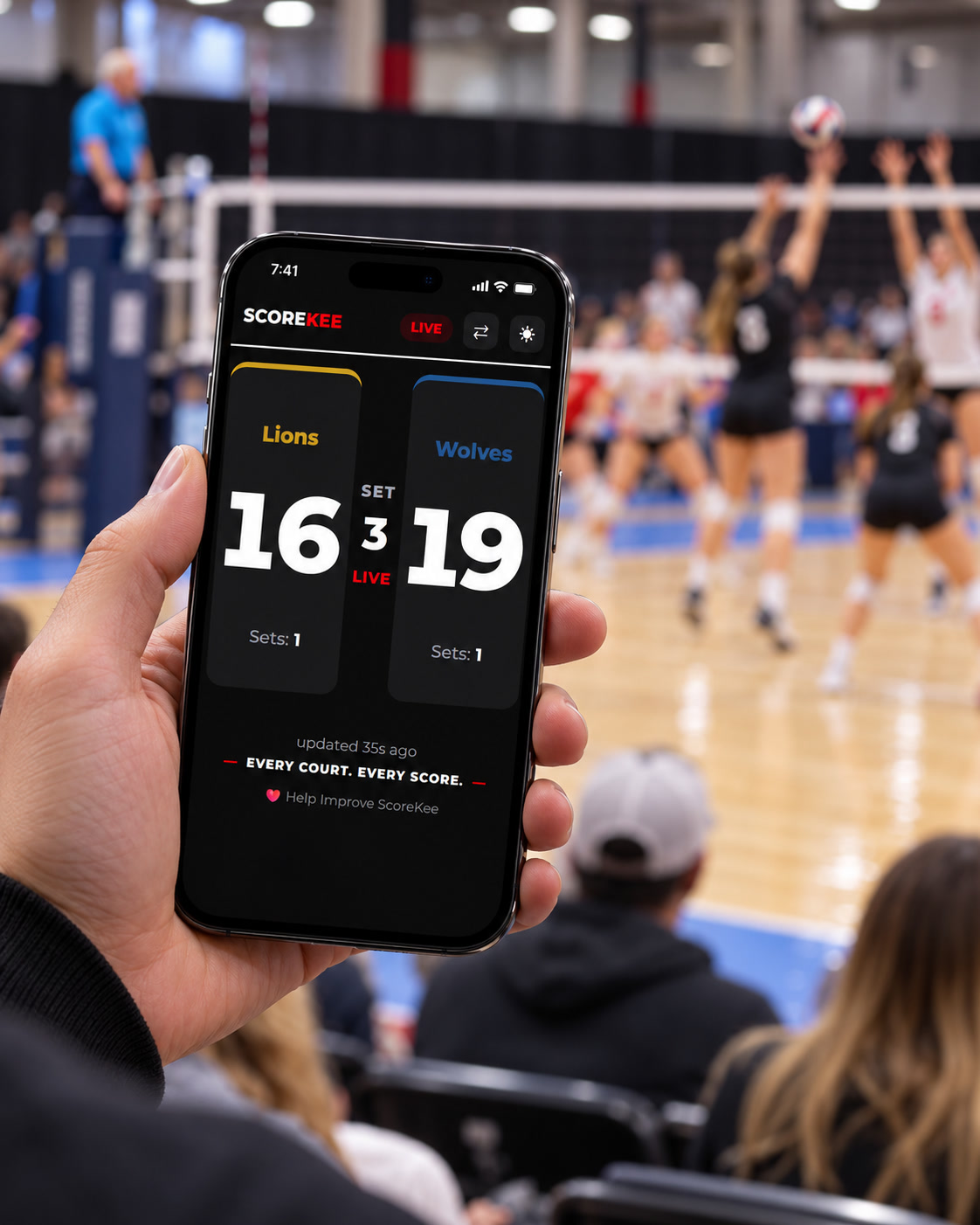
What’s the score?
How many times have you heard it?
- “I can’t see the score.”
- “Hey ref! Can you move?”
- “Coach keeps getting in the way!”
- “I’m just keeping score on my phone.”
- “But that’s not what the flip scoreboard says.”
No more stretching to see that tiny flip scoreboard. Bobbing and weaving to see around the ref or the coach. The only seat left was right on the net.
What if nobody had to enter that score twice?
That’s ScoreKee. The scorekeeper enters the score once, and everyone connected to ScoreKee sees the update automatically.
The scoreboard is there. You just can’t see it.
At a busy tournament, the usual scoreboard is a small flip chart sitting at the scorer’s table. Depending on where you’re standing, it might be blocked by the referee, a coach, the net, or a crowd of spectators.
So you move around for a better view. You ask someone for the score. Or you track it yourself on your phone.
That works—until you miss a point or forget to update it.
ScoreKee solves the problem by letting one person keep score for everyone.

One scorekeeper. Everyone gets the score.
The scorekeeper uses the ScoreKee Controller on their own phone or tablet. Each time they tap to update the score, ScoreKee sends the new score to connected spectators automatically.
Fans don’t have to keep score themselves. They just open ScoreKee in their browser and watch the numbers change.
Spectator
Scorekeeper
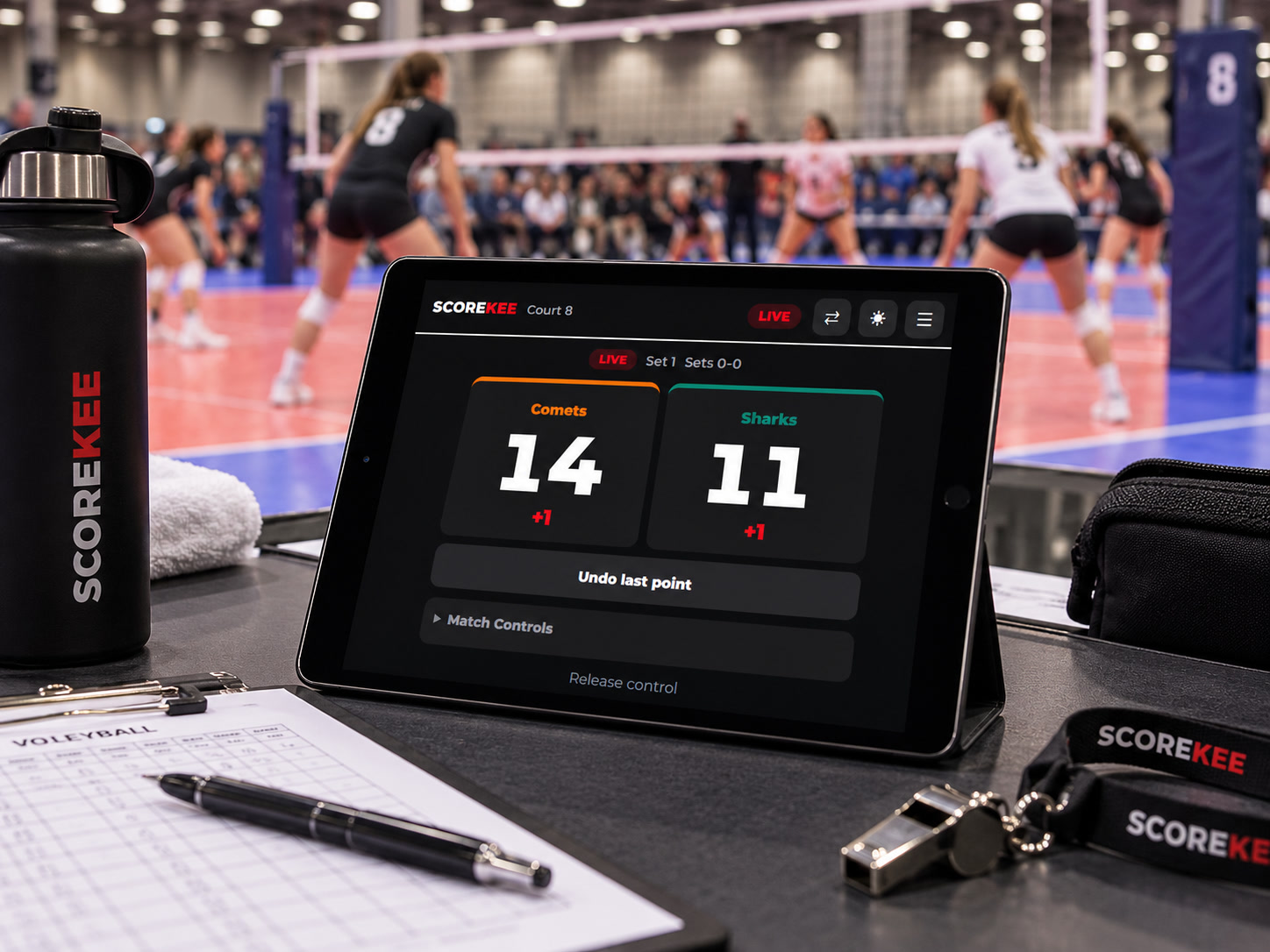
One ScoreKee router at each court
A ScoreKee router is placed at each court. The routers form a mesh network that provides the ScoreKee WiFi connection throughout the tournament area.
The scorekeeper brings their own phone or tablet. Spectators bring theirs, too. No special phones or tablets are required.
Everyone connects to the local ScoreKee system, so it can work even when the facility’s internet is unreliable or unavailable.
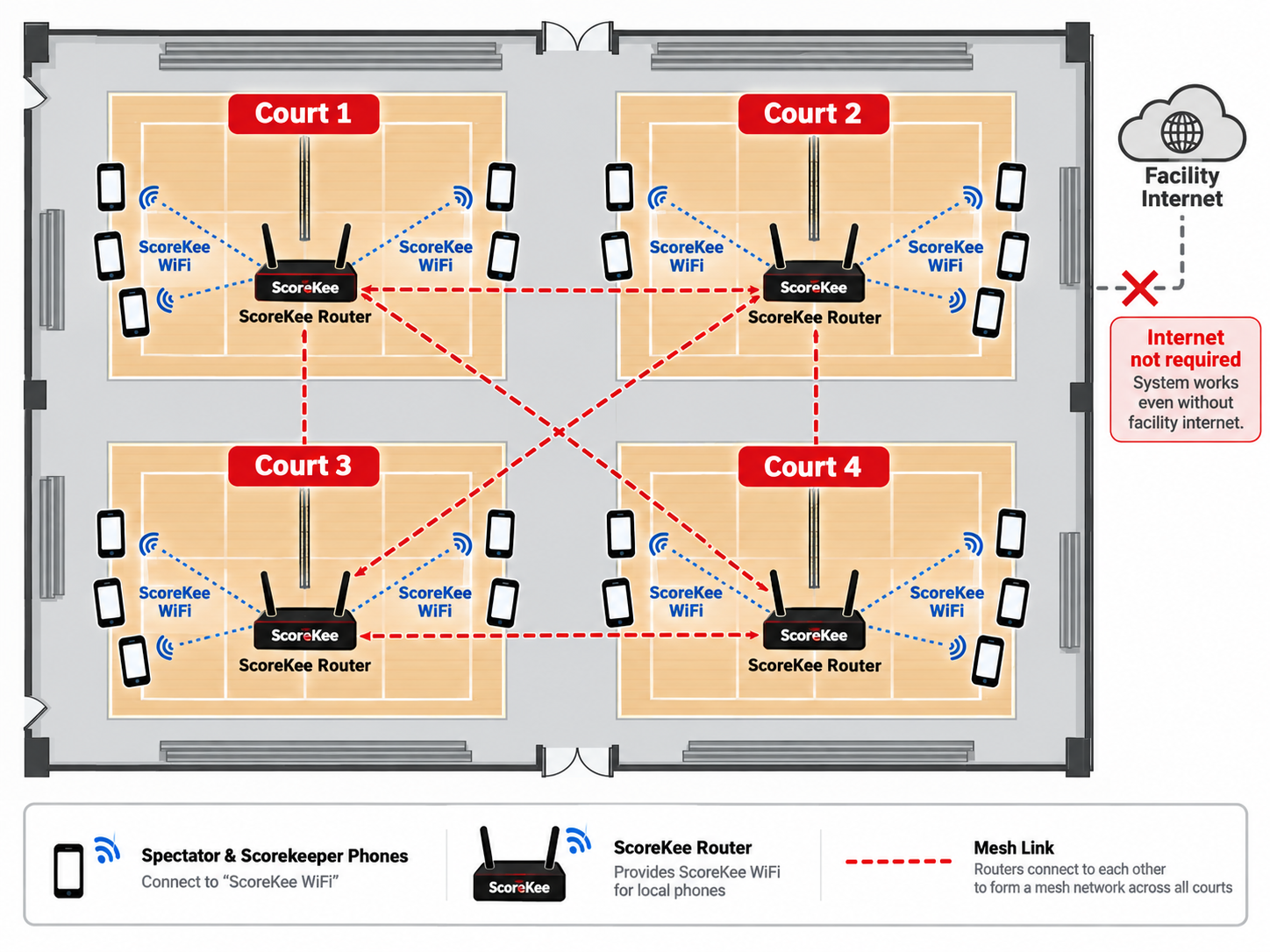
Connect once. Follow every court.
Join ScoreKee WiFi and open the scoreboard in your phone’s browser. There’s no app to install and no account to create.
The score updates automatically each time the scorekeeper makes a change.
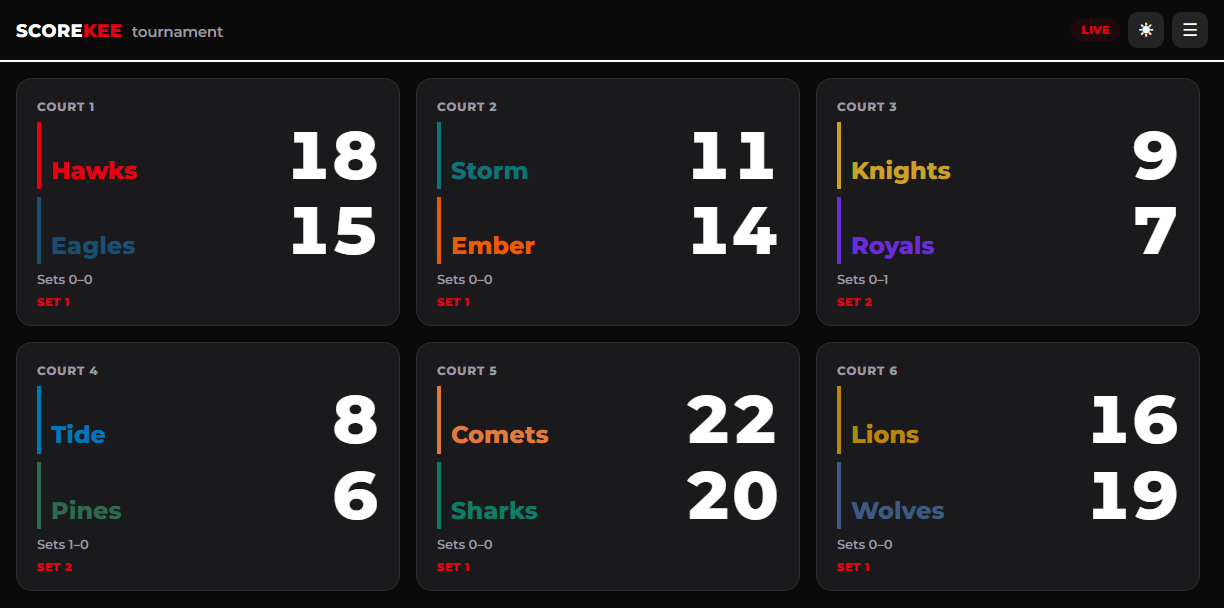
Following more than one match? See the scores from all participating courts in a thumbnail view, then tap any court to make that scoreboard larger.
Whether you’re sitting across the gym or keeping an eye on another match, the score is right on your phone.
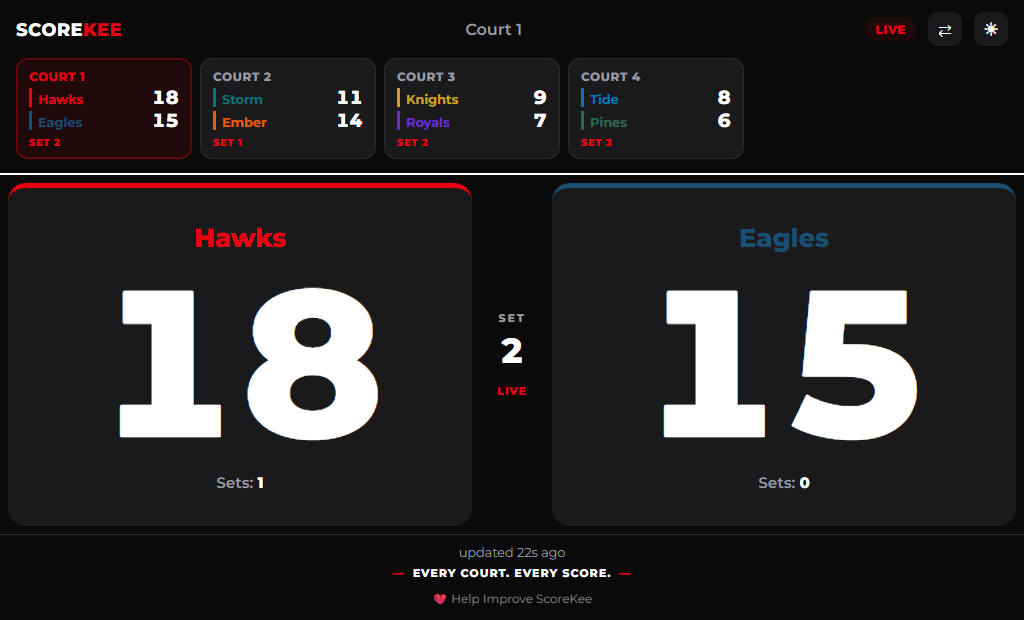
Keeping score is as simple as tapping the screen.
Connect your phone or tablet to ScoreKee WiFi and open the Controller in your browser.
Enter the team names, choose their colors, and you’re ready to keep score.
Tap to award a point. Made a mistake? Use Undo last point. Match Controls let you mark the end of a set or the end of the match.
The spectators’ scoreboards follow along as you update the match.
See what’s happening without walking to every court.
When you’re running a tournament, it’s hard to know which matches are underway, which are finishing up, and which courts are ready for the next game.
Connect to ScoreKee WiFi to see the current status of matches across the facility from your own device.
ScoreKee also logs scoring events for each set and match. Those logs can be downloaded from the devices after the tournament for reference.
Less time chasing scores around the gym. More time running the event.
How much does ScoreKee cost?
We’re working out the best options.
We’re exploring ways to make ScoreKee available to tournament organizers, including buying or renting the equipment. A per-spectator charge is also under consideration.
We haven’t finalized pricing yet. If you’re interested in using ScoreKee, we’d like to hear what would work for your tournament.
Want to try ScoreKee at your next tournament?
ScoreKee is currently in Alpha testing, and we’re looking for tournament partners who want to help us put it through its paces.
If you organize tournaments or manage a volleyball facility, send us an email. We’ll follow up to talk about your event and schedule a demonstration.
Ask About a ScoreKee DemoTell us where your tournament is, when it takes place, and how many courts you use.